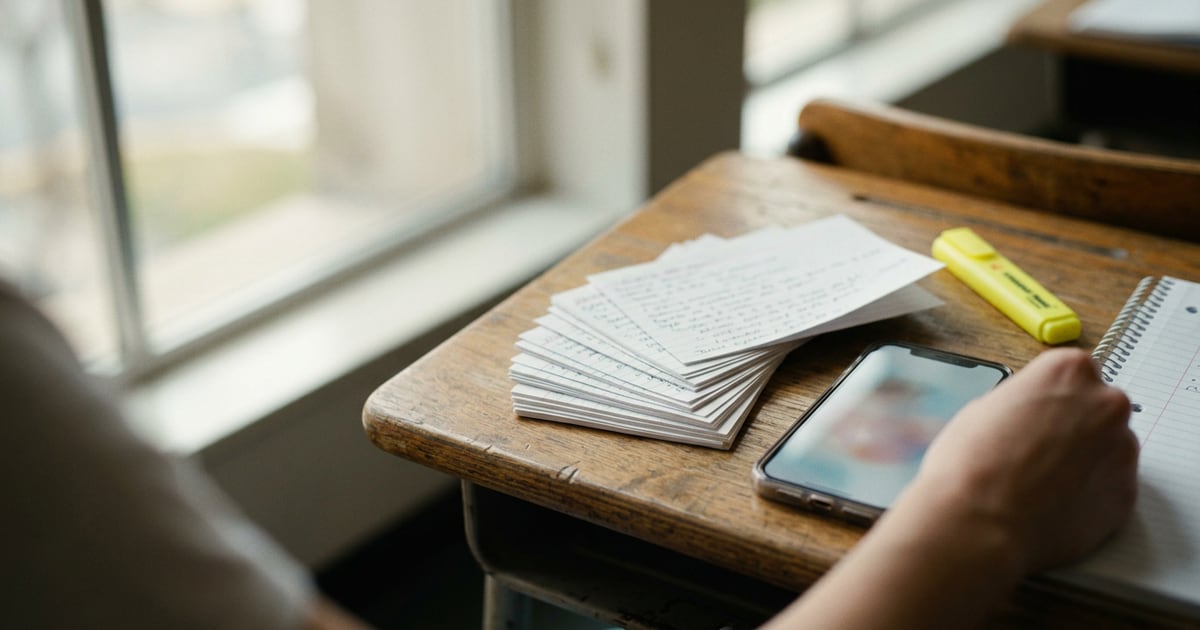


What is the best flashcard app for iPhone? For most people it's AnkiMobile if you're memorizing a lot for the long haul, and Quizlet if you want something free and quick to start. Those two cover most students. The other five on this list each win in one specific situation: a pre-made exam deck, notes that turn into cards, or understanding a topic before you memorize it.
Below is how we chose, what each app does well and badly, and a short guide to picking one. Every detail comes from the apps' own App Store listings as of October 2026. We didn't run our own tests, so nothing here is a hands-on review.
How we chose
A flashcard app is only as good as the study habits it supports. The research here is clear. A large 2013 review in Psychological Science in the Public Interest (Dunlosky et al.) looked at ten common study techniques and gave only two a "high utility" rating: practice testing (quizzing yourself) and distributed practice (spreading study sessions over time). Highlighting and rereading were rated low.
So we looked for apps that do those two things well, and compared:
- Spaced repetition: does the app schedule reviews for you, and how much control do you get?
- Card creation: typing cards by hand, importing, or generating them from notes, PDFs or audio.
- Ready-made content: shared decks or expert sets you can start with today.
- Price model: one-time purchase, free with upgrades, or subscription.
- Who it suits: a med student with 20,000 cards needs something different from a high schooler with one vocab list.
If spaced repetition is new to you, our study guides on the app blog explain the method in more depth.
The 7 best flashcard apps for iPhone
1. AnkiMobile Flashcards
Best for: long-term memorization of large amounts of material (medicine, law, languages).
AnkiMobile is the official iPhone app for Anki, the free, open-source flashcard program. Its listing says it was written by Anki's lead developer and has been around since 2010. It uses the same SM2 and FSRS scheduling algorithms as desktop Anki, which bring cards back just as you're about to forget them. It supports decks of 100,000+ cards, has a free sync service between phone, iPad and computer, and stores images and audio on your device so you can study offline.
Strengths: the deepest scheduling control of any app here, a huge community of shared decks, and no subscription.
Weaknesses: it costs $24.99 up front, and it isn't the friendliest app to learn. Most people build or edit decks on a computer and use the phone for reviews. The listing also warns that other apps with "Anki" in their name aren't compatible with the Anki ecosystem.
2. Quizlet
Best for: getting started fast, school classes, and shared sets.
Quizlet is the best-known flashcard app, and its listing says it's used by over 60 million students, teachers and learners. You can type, paste or upload notes and have it build a study set, or record a lecture and get flashcards and a study guide. Beyond flipping cards, it has an adaptive Learn mode, practice tests, spaced repetition, a game mode called Charms and a "Study With Friends" feature.
Strengths: free to download, a massive library of existing sets, and almost no learning curve.
Weaknesses: shared sets made by other students vary in quality, so check them against your course. Some features sit behind its paid plan, so check the in-app purchases before you commit.
3. Brainscape
Best for: professional exams with expert-made decks (NCLEX, MCAT, bar exam, Series 7).
Brainscape builds its system around active recall plus confidence ratings. After each card you rate yourself 1 to 5, and the app uses that to decide when you see it again. Its listing highlights expert-created collections for exams including the NCLEX, MCAT, MBE, AP courses and GRE, plus millions of community cards. It can also create cards from notes, PDFs and images.
Strengths: the 1–5 confidence scale is simpler than Anki's settings, and the expert decks save hours if your exam is covered.
Weaknesses: less control over scheduling than AnkiMobile, and some decks and features sit behind its paid plan.
4. Knowt
Best for: students moving from Quizlet who want free study modes.
Knowt describes itself as an all-in-one study app used by 7 million students. Its listing says you can import sets from sites like Quizlet, turn notes, PDFs or lecture videos into flashcards and practice tests, and use Learn mode for free. It also offers spaced repetition and free AP exam study guides.
Strengths: a generous free tier, easy importing, and AI tools that cover notes and video.
Weaknesses: as with any AI-made deck, cards need checking. It's a newer app than Anki or Quizlet, with a smaller set of high-quality shared decks in some subjects.
5. RemNote
Best for: people who want their notes and flashcards in one place.
RemNote is a note-taking app first. You write notes, and you can turn any line into a flashcard as you go, so cards stay linked to the context they came from. Its listing includes spaced repetition, PDF annotation (highlight a PDF and make cards from it), backlinks and to-dos.
Strengths: no separate step for card-making, and well suited to courses where ideas connect to each other.
Weaknesses: if you only want flashcards, it's a lot of app. It takes time to set up your notes in a way that works.
6. Noji
Best for: simple, good-looking decks and language vocabulary.
Noji is a straightforward flashcard app built on what its listing calls an enhanced spaced repetition algorithm. You can customize how cards look, use it on the web as well as iPhone, and browse a library of 50,000 pre-made decks. Its listing points it at students, teachers and language learners.
Strengths: clean and easy to learn, with a big ready-made deck library.
Weaknesses: fewer advanced options than AnkiMobile, and fewer AI or study-mode extras than Quizlet or Knowt.
7. Meomy AI: Flash Cards & Quiz
Best for: understanding hard topics before you memorize them (chemistry, anatomy, nursing, physics).
This one is our app, so weigh this entry with that in mind. It works differently from the others: you upload a PDF or audio file, or record a lecture, and it creates notes, a summary, quizzes and flashcards. Its main feature is Feynman AI sessions, where you explain a concept in your own words and get feedback on what's unclear, plus progress scores that show weak areas.
Strengths: it targets understanding, not just recall, which helps when a topic hasn't clicked yet.
Weaknesses: it doesn't list a spaced repetition scheduler, so for months of review it works best next to an app like AnkiMobile. It's subscription-only for Pro features (from $9.99 a week), it's new with few ratings so far, and it runs on iPhone only.
Which one is right for you?
Match the app to the problem you actually have:
| If you… | Start with |
|---|---|
| Have thousands of facts to keep for months or years | AnkiMobile |
| Want free, quick sets for a class next week | Quizlet or Knowt |
| Are studying for the NCLEX, MCAT or bar exam | Brainscape |
| Take a lot of notes and want cards to come from them | RemNote |
| Want a clean app for vocabulary | Noji |
| Keep memorizing things you don't really understand | Our app (#7), then a spaced repetition app |
A few tips that matter more than the app:
- Make cards small. One fact per card. "List the 12 cranial nerves" is a bad card; "Which cranial nerve controls the lateral rectus?" is a good one.
- Answer before you flip. Say or write the answer first. That's the practice testing the Dunlosky review rated so highly.
- Do your reviews daily. Spacing only works if you show up. Ten minutes every day beats two hours on Sunday.
- Check AI-made cards. Delete vague ones and fix wrong ones before you study them.
If you're choosing study tools for other subjects too, see our roundups of the best essay writing apps for students and the best math solver apps for iPhone.
How Meomy AI can help
Flashcards work best on material you already understand. If you're reviewing a card on the Krebs cycle and the answer still feels like random words, more reviews won't fix that. Our app is built for that earlier step. Upload your lecture PDF or a recording, and it produces notes, a quiz and flashcards. Then use a Feynman session to explain the topic back in plain language and see where the gaps are. When it makes sense, move your best cards into your spaced repetition app for the long haul. It's on iPhone, with Pro plans from $9.99 a week. Details are on the app page.
Frequently asked questions
Is Anki free on iPhone?
No. Anki is free on computers and Android, but the official iPhone app, AnkiMobile, is a one-time paid download ($24.99 on the US App Store as of October 2026). Its App Store listing says sales fund development of both the computer and mobile versions. Be careful with other apps that use "Anki" in their name: they aren't part of the official Anki ecosystem.
Which iPhone flashcard app has the best spaced repetition?
AnkiMobile gives you the most control: it uses the same SM2 and FSRS scheduling algorithms as desktop Anki, and you can tune them. Brainscape, Knowt, RemNote, Noji and Quizlet all list spaced repetition too, but with fewer settings. If you just want reviews to show up at the right time without adjusting anything, any of them will do.
Can an app make flashcards from my notes automatically?
Yes. Quizlet, Brainscape, Knowt and Meomy AI all list AI tools that turn notes or PDFs into flashcards, and Quizlet and Meomy AI also work from lecture audio. Always skim the cards they produce. AI-made cards can be vague or miss the detail your exam tests, and fixing a bad card is part of learning it.
Are paper flashcards better than a flashcard app?
Not necessarily. What matters is that you test yourself and space your reviews out over days, which a 2013 review of learning techniques rated as two of the most useful study methods. Paper works if you keep to a schedule. Apps help mainly by tracking that schedule for you, which is the part most people drop.
What is the best free flashcard app for iPhone?
Quizlet and Knowt are the strongest free starting points: both are free to download, have large libraries of shared sets, and include study modes beyond plain flipping. Knowt states that its Learn mode is free. Noji and RemNote are also free to download. Check each app's in-app purchases, since advanced features often sit behind a subscription.
Conclusion
There's no single best flashcard app for iPhone, but there is a best one for your situation. AnkiMobile is the strongest choice for large-scale, long-term memorization if you can handle the setup and the one-time price. Quizlet and Knowt are the easiest free starts. Brainscape suits professional exams, RemNote suits heavy note-takers, and Noji keeps things simple. Whichever you pick, the method matters more than the app: quiz yourself, keep cards small and review a little every day.