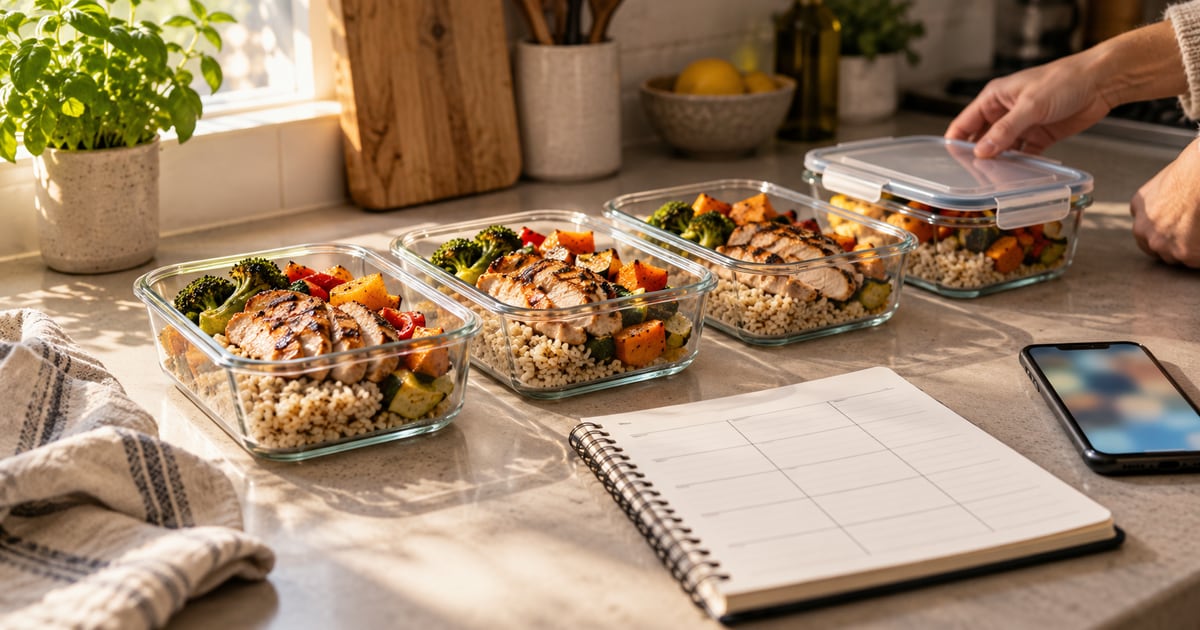


A study of more than 40,000 French adults found that people who planned their meals ahead had lower odds of obesity than people who didn't. In the NutriNet-Santé analysis published in 2017, women who planned meals had about 21% lower odds of obesity, and men about 19% lower. The study can't prove planning caused the difference, but it points at something useful: deciding what to eat before you're hungry is a habit worth supporting. The question is which app makes that habit easiest for you.
How we chose
We looked for apps that do more than log food after the fact. Each pick had to help you plan meals ahead of time, and either support a calorie or nutrition target directly or make healthy recipes easy to organize.
We weighed four things for each app:
- Planning style: does it build plans for you, or help you organize recipes you pick?
- Calorie support: can you set a calorie or macro target, and does the plan respect it?
- Shopping: does it turn a plan into a grocery list?
- Free tier: how much planning can you do before paying?
No app wins on all four. Automatic planners save the most time but give you less say over each meal. Recipe planners give you full control but expect you to know what fits your goal. Trackers are great for awareness but leave the "what's for dinner" decision to you.
Every detail below comes from each app's official App Store listing or website, as of October 2026. We didn't test the apps hands-on, and we haven't included user ratings or reviews. Prices and features change, so check the listing before you subscribe.
One popular name is missing on purpose. Mealime often appears on lists like this, but its website now states that Mealime will shut down on October 21, 2026. Building a new habit around an app that's closing doesn't make sense.
1. Eat This Much
Eat This Much is the most automatic option here. You enter your diet goals, the foods you like, your budget and your schedule, and it generates a complete meal plan to meet your calorie and macro targets.
Strengths:
- Free users can create a day's meal plan and customize it fully, with different preferences for each meal.
- Premium generates a week of meal plans and emails them to you with a grocery list.
- If you go off plan, it helps you readjust your targets for the next week.
- Supports keto, paleo, vegetarian, vegan and other eating styles.
- Available on the web, iPhone and Android.
Weaknesses:
- The weekly plans and grocery lists, the features most people want, need Premium.
- The virtual pantry and Apple Health syncing are also Premium-only.
- If you prefer to choose every recipe yourself, a generator-led app may feel like it's doing too much.
Best for: people who find deciding what to eat is the hardest part of dieting.
2. Lose It!
Lose It! is a calorie tracker first, with planning tools added on. When you complete your profile, it calculates a daily calorie budget and a weight loss schedule.
Strengths:
- The free version includes calorie tracking and a personalized weight loss plan.
- Its listing cites a food database of more than 56 million items and recipes.
- Premium adds meal planning and meal targets, which suggest calorie, carb and protein amounts per meal.
- Premium also adds photo logging, voice logging, a barcode scanner and intermittent fasting tracking.
Weaknesses:
- Meal planning itself is a Premium feature.
- The listing doesn't mention auto-generated recipes or grocery lists, so you still decide what to cook.
Best for: people who want a calorie budget front and centre, with light planning around it.
3. MyFitnessPal
MyFitnessPal is one of the best-known trackers. Its App Store listing describes a food database of more than 20.5 million foods, including restaurant dishes, and a "streamlined meal planner" to help you hit calorie and macro targets.
Strengths:
- A very large food database makes logging fast once you know it.
- Custom targets for macros, protein, sodium, fiber and more.
- An AI nutrition coach and GLP-1 medication tracking are listed among its newer features.
- Connects with more than 40 fitness trackers, smartwatches and health apps.
Weaknesses:
- Barcode scanning, meal scanning and voice logging are Premium features.
- It's built around tracking, so planning feels secondary.
If you're also weighing a similar tracker, our MyFitnessPal vs MyNetDiary comparison goes through the differences in detail.
Best for: people who already eat out often and want the biggest food database.
4. Samsung Food
Samsung Food is a recipe and meal planning app with a generous free tier. You don't need a Samsung phone to use it.
Strengths:
- Free weekly meal planning that turns into a shopping list you can share with family.
- Saves recipes from any website, and lets you filter by 14 different diets.
- Its listing says detailed nutrition information is available on over 218,500 recipes.
- Works on iPhone, iPad and the web.
Weaknesses:
- The weight-loss-specific features, such as AI-personalized meal plans for your health goals and nutrition tracking with adaptive plans, are in the paid Samsung Food+ tier.
- It's a cooking app first, so it won't replace a calorie counter on its own.
Best for: home cooks feeding a household who want healthier recipes without paying.
5. Kelz
Our own app (full disclosure: we make it) combines calorie counting, a meal planner and AI workout plans in one iPhone app. Its meal planner builds customized plans around your dietary preferences and restrictions.
Strengths:
- Meal planning, calorie counting and fitness tracking in one place.
- An AI personal trainer creates workout plans and adjusts coaching based on your goals and progress.
- Includes nutrition tips and insights on managing cravings and appetite.
Weaknesses:
- iPhone only.
- Its listing doesn't mention barcode scanning, grocery lists or recipe imports.
- Pro costs $9.99 a week or $49.99 a year, as of October 2026.
Best for: people who want food and exercise planning in a single app.
6. Paprika Recipe Manager 3
Paprika is the odd one out: it doesn't set calorie targets. It's a recipe manager with a strong meal planner, sold as a paid app rather than a subscription. As of October 2026, the iPhone version lists at $4.99, and each platform is sold separately.
Strengths:
- Plan meals on daily, weekly or monthly calendars, and save favourite plans as reusable menus.
- Grocery lists combine ingredients automatically and sort them by aisle.
- Download recipes from websites, track your pantry, and use it offline.
- Available on iOS, Android, Mac and Windows.
Weaknesses:
- No calorie targets or automatic plans are listed, so you supply the healthy recipes yourself.
- Buying it on several platforms costs more than once.
Best for: organized cooks who already know which recipes fit their goals.
Which one is right for you?
Start with the part of dieting you find hardest.
- "I never know what to eat." Choose Eat This Much. It decides for you and builds the plan around your target.
- "I want to see the numbers." Choose Lose It! or MyFitnessPal. Both centre on a daily calorie budget.
- "I cook for a family." Choose Samsung Food for free shared plans and shopping lists, or Paprika if you'd rather pay once.
- "I want diet and workouts together." Choose an app that combines meal planning with exercise plans.
Whichever you pick, try the free tier or trial for a week before paying. If you aren't opening the app by day five, a different style will probably suit you better. And if you have a health condition, take your plan to a doctor or registered dietitian first.
How Kelz can help
If you'd rather not juggle a meal planner, a calorie counter and a workout app, our app puts them together. You can build meal plans that fit your dietary preferences and restrictions, count calories through the day, and follow AI workout plans that adapt to your progress. Nutrition tips and appetite insights help on the days cravings get the better of you.
It's an iPhone app, and it doesn't replace advice from a healthcare professional. For more guides on calories and meal planning, visit our calorie and meal planning blog.
Frequently asked questions
Is there a free meal planning app for weight loss?
Several have useful free tiers. Eat This Much lets free users create and customize a day's meal plan, and Samsung Food offers weekly meal planning and shopping lists for free. Most apps keep features like automatic weekly plans, barcode scanning or advanced nutrition tracking behind a paid subscription.
Do meal planning apps actually help with weight loss?
They can make a calorie target easier to follow, but the app itself doesn't cause weight loss. A large French study of over 40,000 adults linked meal planning to better diet quality and lower odds of obesity, though it couldn't prove cause and effect. Consistency matters more than which app you pick.
What's the difference between a meal planner and a calorie counter?
A calorie counter records what you already ate. A meal planner decides what you'll eat ahead of time, often with recipes and a grocery list. Some apps lean one way, some combine both. If you struggle to decide what to eat, start with a planner; if you want awareness, start with tracking.
Can I use a meal planning app with a special diet?
Usually, yes. Eat This Much lists keto, paleo, vegetarian and vegan options, and Samsung Food lets you filter recipes by 14 diets. If you have a medical condition or food allergy, check plans with a doctor or registered dietitian rather than relying on an app alone.
How many calories should a weight loss meal plan have?
It depends on your age, sex, size and activity level, so there's no single number. Most apps estimate a daily target from your profile and goal. Treat that number as a starting point, and talk to a healthcare professional before following a very low calorie plan.
Conclusion
The best meal planning app for weight loss is the one that removes your biggest obstacle. Eat This Much suits people who want decisions made for them. Lose It! and MyFitnessPal suit people who want a calorie budget in view. Samsung Food and Paprika suit people who love to cook, and an all-in-one app suits people who want meals and workouts together. Pick one, give it a week, and judge it on whether it makes planning easier, not on how many features it lists.