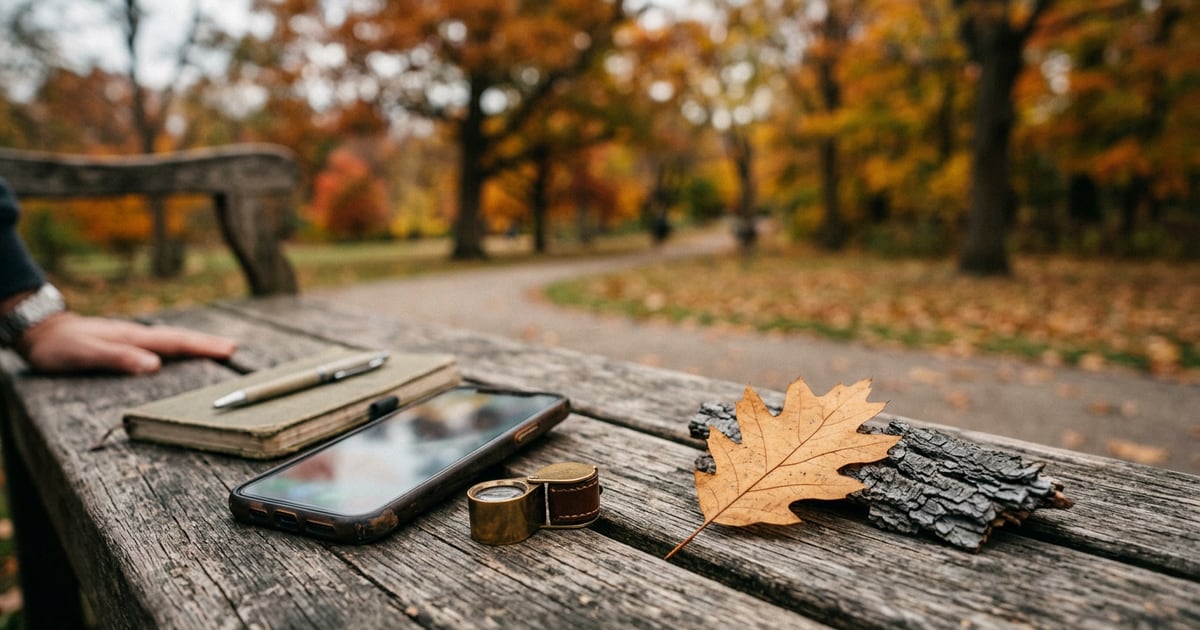


Scientists estimate there are about 73,000 tree species on Earth, and roughly 9,000 of them have not even been described yet, according to a 2022 study in PNAS. No app knows every tree. That one fact changes the question. You're not looking for the app that "knows everything". You're looking for the one that's honest about what it knows, fits the trees near you, and makes it easy to check its guess. Here are seven iPhone options, with facts taken from each app's official App Store listing as of October 2026.
How we chose
We did not run lab tests or rank apps by an accuracy score we can't verify. Instead, we read each app's official App Store page and compared what matters to someone standing under a tree with a phone:
- Price model. Free, free with ads, or a paid subscription.
- How it identifies. Instant AI suggestion, a human community, a guided key, or a mix.
- What it covers. All plants, trees only, a single region, or trees and wood.
- Account needed. Some apps let you scan straight away; others need a sign-up.
- Ratings shown. The App Store average and how many people rated it, because a 4.8 from 30,000 people means more than a 5.0 from twelve.
Any accuracy percentage below is the developer's own claim, and we say so.
The 7 best tree identification apps for iPhone
1. Seek by iNaturalist
Seek comes from iNaturalist, a not-for-profit organisation. It's free, and its listing says plainly that "Seek does not require registration". You point the camera at a leaf and it suggests a name, working from broad groups (such as "oaks") down to a species when it's confident.
Strengths: No account, no subscription, and badges and monthly challenges that work well for children and school walks. By default the app collects no user data, and the listing says location is obscured unless you sign in and submit observations. It shows 4.8 out of 5 from about 31,000 ratings.
Weaknesses: Seek is built for discovery rather than for confirming a tricky species. Nobody checks its result, and it stops at genus level when it isn't sure.
Best for: Families, beginners and anyone who wants a free first guess.
2. iNaturalist
The main iNaturalist app (iPhone only, free) gives instant camera suggestions for plants, animals and fungi. When you share your photo, it becomes an observation that a global community of naturalists can review and confirm.
Strengths: Human checking is the big difference. A suggestion from a model plus agreement from people who know local trees is more reliable than either alone. The latest release notes mention better offline suggestions.
Weaknesses: Community checks take time, from minutes to weeks. You need an account to share observations, and the new app shows a lower rating (4.1 from about 700 ratings) than the older "iNaturalist Classic", which the developer is moving users away from.
Best for: Curious learners and anyone who wants a second opinion from real people.
3. Pl@ntNet
Pl@ntNet is a free citizen-science project run by French research institutes, with Cirad listed as the developer and copyright credited to Cirad, INRA, Inria and IRD. Its listing says it recognises about 20,000 species and focuses on wild plants, with community review of observations.
Strengths: Free, research-backed, and clear about its limits. You choose which plant part your photo shows (leaf, flower, fruit, bark), and you can pick a regional "flora". It shows 4.6 out of 5 from about 7,000 ratings.
Weaknesses: Its own listing warns that a photo of the whole plant is often not enough for a reliable result. Garden and street trees that are cultivated rather than wild are supported but aren't its main focus.
Best for: Hikers and people who like to know where the data comes from.
4. vTree (Virginia Tech Tree ID)
vTree puts Virginia Tech's tree identification material on your phone. Instead of an AI guess, it works like a field guide: it filters 969 North American woody plants by your GPS location or ZIP code, then narrows the list as you answer questions about leaf shape, leaf arrangement, flowers and fruit.
Strengths: Free, with more than 6,400 photos and range maps from a university forestry department. You also learn the features that tell trees apart, which is a skill no scanner gives you. You can send a question to a Virginia Tech expert through the app.
Weaknesses: It covers North America only. The full database is about 650 MB, so the listing recommends Wi-Fi for the download. It shows 3.3 out of 5 from 46 ratings, and some reviews mention download and startup problems.
Best for: Students, hikers in the US and Canada, and anyone who wants to learn tree ID properly.
5. PictureThis
PictureThis is a broad plant identifier that is free to download, with a "Pro" subscription offered through in-app purchases. Its listing claims it can identify more than 400,000 plant species and reports over 98% accuracy. That is the developer's own figure.
Strengths: Wide coverage beyond trees, plus extras for gardeners: disease diagnosis, care tips, watering reminders, toxic plant alerts for pets and children, and access to plant experts.
Weaknesses: Many features sit behind the subscription. The app is built mainly around house and garden plants, so if you only want to name trees on a walk, you'll be paying for things you don't need.
Best for: Gardeners who also want care and problem-solving help.
6. Plants & Tree
Our own app is an AI scanner for iPhone that identifies both tree species and wood types from a photo. Its listing says it works with leaves and bark, and also with logs, planks, furniture, flooring and firewood.
Strengths: The wood side is unusual: few tree apps try to tell you what your table or floorboards are made of. Results include common and scientific names, wood grain, colour, hardness and durability, plus notes on whether a species has edible fruit or is toxic. Scans go into a personal collection, and points and streaks reward regular use.
Weaknesses: It's a newer app without enough App Store ratings yet to show an average. Full use needs a Pro subscription ($4.99 per week or $29.99 per year as of October 2026). Like every AI scanner, it gives a best guess, not a certainty.
Best for: Woodworkers, DIYers and outdoor fans who want trees and wood in one place.
7. Google Lens (in the Google app)
You may already have this one. The free Google app for iPhone includes Lens, which its listing says lets you "use your camera to identify what you're looking at", including plants and animals.
Strengths: No new app to learn. It's fast, and it sends you straight to web pages about the likely species so you can compare photos.
Weaknesses: Lens is a general visual search tool, not a tree guide. It won't keep a record of your finds, explain which features to check, or have people confirm the result.
Best for: Quick, one-off "what is this?" moments.
Comparison at a glance
All details come from each app's official App Store listing as of October 2026.
| App | Price on App Store | How it identifies | Account needed to identify | Rating shown |
|---|---|---|---|---|
| Seek by iNaturalist | Free | AI suggestions | No | 4.8 (about 31K) |
| iNaturalist | Free | AI plus community review | Yes, to share observations | 4.1 (about 700) |
| Pl@ntNet | Free | AI plus community review | No | 4.6 (about 7K) |
| vTree | Free | Guided key and location filter | No | 3.3 (46) |
| PictureThis | Free download, Pro subscription | AI | No | See listing |
| Plants & Tree | Free download, Pro subscription | AI, trees and wood | No | Not enough ratings yet |
| Google Lens | Free | Visual web search | No | See listing |
How to get a better result from any app
The app matters less than the photo. A few habits make every option above more reliable:
- Photograph a single leaf against the sky or a plain surface. Fill the frame and keep it in focus.
- Add a second part. Fruit, flowers, buds or nuts help far more than a shot of the whole tree, which Pl@ntNet's own listing warns is often not enough.
- Take bark as a backup, not the main clue. Bark changes with age, so it's better for confirming than for starting.
- Check the season. In winter, use twigs, buds and bark, and be ready for a less confident result.
- Compare two apps. If a free app and a second app agree, you can be more confident. If they don't, look at the features that differ.
These habits work for other kinds of identification too. They are similar to the checks in our guide on how to tell if a rock is a geode.
Which one is right for you?
- You want something free, with no sign-up: start with Seek.
- You want a person to check the result: use iNaturalist and share the observation.
- You care about open science or hike in wild areas: try Pl@ntNet.
- You live in North America and want to learn the skill: download vTree and work through its questions.
- You garden and want care advice: PictureThis is the most complete, if you're happy to subscribe.
- You want to name trees and the wood in furniture, floors or firewood: an app that does both saves switching.
- You just need a quick answer: open Lens in the Google app.
Whichever you pick, treat the result as a strong hint. Never eat, touch or use any part of a tree or its fruit based on an app result. For anything that matters, such as a tree that might fall, a possible pest, or wild fruit, ask a certified arborist, a local extension service or a botanist.
How Plants & Tree can help
If your interest in trees doesn't stop at the trunk, Plants & Tree is built for that. Take or upload a photo of a leaf, bark, a log, a plank or a piece of furniture, and it suggests the likely tree species or wood type. It also shows the scientific name, reference images, grain, colour, hardness and durability. Each scan is saved to your collection, so you can look back at what you found on a walk or in a timber yard. It's iPhone-only, results are AI suggestions rather than certainties, and full use needs a subscription. You can read more guides on the app's blog.
Frequently asked questions
What is the best free tree identification app for iPhone?
Seek by iNaturalist, iNaturalist, Pl@ntNet and vTree are all free to download with no in-app purchases listed on their App Store pages as of October 2026. Seek is the simplest because it needs no account. iNaturalist is best when you want people to confirm the result.
Can an app identify a tree from its bark alone?
Sometimes, but bark is one of the hardest features to judge from a photo because it changes with age and weather. Pl@ntNet's own listing says flowers, fruits and leaves are the most useful parts to photograph first. Take a bark photo as well, but add a leaf or fruit whenever you can.
Are tree identification apps accurate?
They are useful for a first guess, not a final answer. Results depend on photo quality, the season and whether the species is common in the app's data. Accuracy figures on app listings come from the developers themselves. For anything important, confirm with a local field guide, an arborist or an extension office.
Do I need an account to identify trees on my iPhone?
Not always. Seek by iNaturalist says on its App Store listing that it does not require registration. iNaturalist needs an account if you want to share observations for the community to review. Paid scanners usually let you scan first and ask you to subscribe after a few free uses.
Is it safe to eat fruit from a tree an app identified?
No. Never eat, touch or use any part of a plant based only on an app result. Many edible fruits have toxic look-alikes. Ask a qualified local expert in person before eating anything you find growing wild.
Conclusion
The best tree identification app for iPhone depends on what you need it for. Free tools like Seek, iNaturalist, Pl@ntNet and vTree cover most walks and school projects, and each is honest about how it reaches an answer. Paid AI scanners add convenience and extras such as care notes or wood identification. With about 73,000 tree species in the world, no app is perfect. Take clear photos of more than one feature, compare two sources when it matters, and let a local expert make the final call on anything to do with safety.