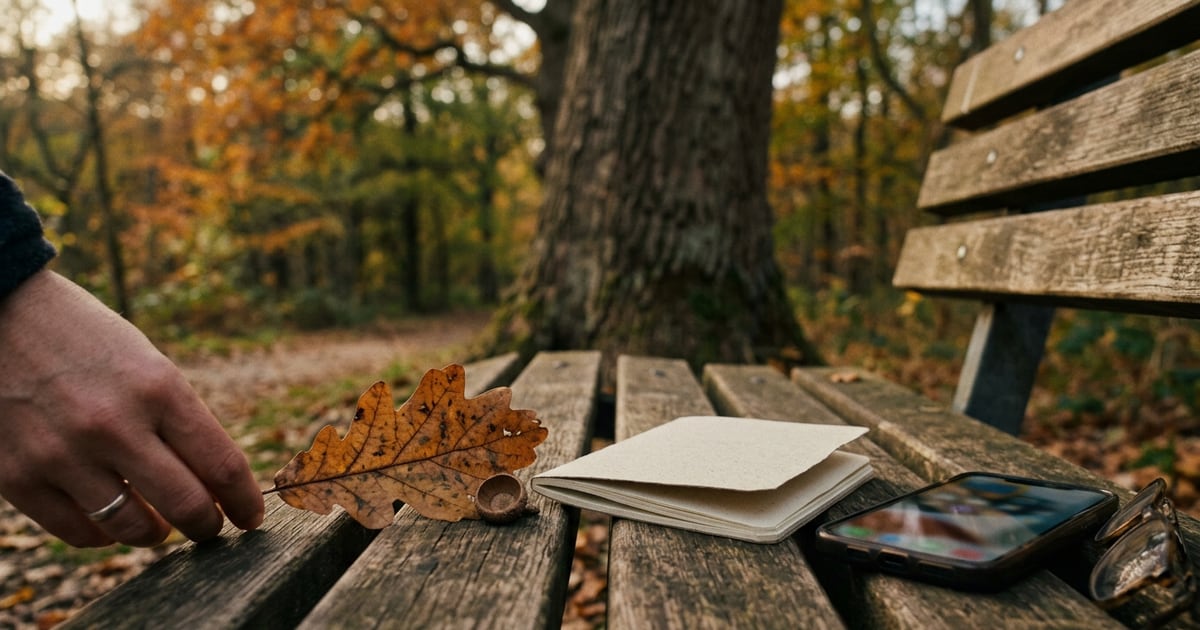


You're standing under a tree you've walked past a hundred times, and you finally want to know what it is. You open the App Store, type "plant identification," and two free names keep coming up: PlantNet and iNaturalist. Both are free, both come from research or nonprofit groups, and both can name a tree from a photo. The short answer is that PlantNet is the faster, plants-only tool, while iNaturalist puts your photo in front of real people. Below is how they compare for trees, plus one rule about planted trees that most comparisons leave out.
Quick verdict
- Pick PlantNet if you want a fast suggestion for a wild tree, prefer an app that only does plants, and like filtering results by region.
- Pick iNaturalist if you want other people to confirm your ID, plan to log trees over months, or also want to identify the insects, birds and fungi around them.
- Use both when a tree is hard. PlantNet gives you a candidate quickly. iNaturalist gives you a second opinion from the community.
Neither app is a botanist in your pocket. Treat both answers as suggestions you can check, not final verdicts.
PlantNet vs iNaturalist at a glance
All facts below are from each app's official US App Store listing or official help pages, as of October 2026.
| PlantNet | iNaturalist | |
|---|---|---|
| Price | Free | Free |
| Who makes it | A French research consortium (CIRAD, INRAE, Inria and IRD) | iNaturalist, a nonprofit |
| What it identifies | Plants only | Plants, animals and fungi |
| Photos or sound | Photos | Photos and sound recordings |
| How IDs are checked | AI suggestion, then community review of shared observations | AI suggestions, then review by the iNaturalist community |
| Region filter | Choose a regional "flora" or search all of them | Identifies species "from anywhere in the world" |
| Best for planted trees? | Says cultivated plants "are not its primary purpose" | Planted trees can't reach Research Grade |
| Web version | identify.plantnet.org | inaturalist.org |
| App Store rating (US) | 4.6 from about 7,000 ratings | 4.1 from about 700 ratings (redesigned app) |
| Minimum iOS | 15.1 | 15.1 |
A note on that rating gap: iNaturalist replaced its original app with a redesigned one, and the older version is still listed as "iNaturalist Classic". So the new app's rating comes from far fewer reviews. Don't read too much into it.
Key difference 1: Who checks your answer
Both apps start with an image-recognition suggestion. What happens next is where they split.
PlantNet gives you a ranked list of likely species, and you pick the one that matches. If you share the observation, other users can review it. Its listing says reviews give more weight to users with a strong track record, such as the number of species they've observed that the community has confirmed.
iNaturalist is built around that second step. You post an "observation" and other people add their own identifications. According to iNaturalist's help pages, an observation becomes Research Grade when more than two-thirds of identifiers agree on the species. That consensus is what makes iNaturalist useful for unusual trees. A local oak or maple expert may well see your post.
If you only want a name in ten seconds, PlantNet's flow is simpler. If you want someone to tell you that your "red maple" is actually a Norway maple, iNaturalist is the better bet.
Key difference 2: Planted trees vs wild trees
This is the detail that catches people out, and it matters a lot for trees.
Many of the trees people look up are planted: street trees, park trees, the ornamental cherry in a neighbour's yard. Both apps lean toward wild plants.
- iNaturalist only lets an observation become Research Grade if it's "verifiable", which includes not being captive or cultivated (iNaturalist help). A planted street tree should be marked cultivated, so it stays "Casual" even if everyone agrees on the name. You still get suggestions and comments, but fewer people browse Casual observations.
- PlantNet says on its listing that it can identify many cultivated plants in parks and gardens, but that this "is not its primary purpose". It especially wants wild plants, including those growing on city sidewalks.
So for a planted ornamental tree, neither app is perfect. iNaturalist will still take the observation, and PlantNet will still try. Just know that a planted cultivar, like a purple-leaved plum, may confuse an app trained mostly on wild plants.
Key difference 3: Scope beyond plants
PlantNet does one thing: plants. Its listing names flowering plants, trees, grasses, conifers, ferns, vines and cacti.
iNaturalist covers everything alive. The insect galls on an oak leaf, the woodpecker drilling the trunk, the shelf fungus at the base: you can log them all in the same app, with sound recordings for birds and frogs.
That matters if you're keeping a nature journal of a single tree through the seasons. If you only care about the tree, PlantNet's narrower focus means fewer menus to get through.
Where PlantNet is better
- Speed for wild trees. Snap, compare the ranked suggestions, done. No posting step is needed to get an answer.
- Regional floras. You can pick the flora for your area, or search all floras when you're not sure. That helps when a tree from another continent looks like a local one.
- Clear photo guidance. The listing says flowers, fruits and leaves are the most telling parts, and that thorns, buds or hairs on the stem can help. For a tree, that means a close-up of a single leaf (both sides), any fruit or seed, and the bark.
- Filtering by genus or family. If you already know it's a maple, you can narrow the results.
Where iNaturalist is better
- Human confirmation. Other people can agree with or correct your ID, and a two-thirds consensus is the bar for Research Grade.
- A long-term record. Every observation keeps its date and location, so you can return to the same tree in spring and autumn.
- Everything around the tree. Plants, animals and fungi in one place, plus sound.
- Science value. iNaturalist's listing says observations become data for science and conservation. If you want your sightings to be used, Research Grade observations of wild trees are the most useful.
- A kid-friendly sibling. Seek by iNaturalist uses the same image recognition, needs no sign-up, and its listing says it collects no user data by default. It's handy for family walks.
How to get a better ID from either app
Whichever app you choose, your photos matter more than the app. Here's a simple routine for a tree:
- One leaf, flat, both sides. Fill the frame with a single leaf. Lots of species differ in the hairs or colour of the underside.
- How the leaves attach. Show whether they sit opposite each other or alternate along the twig. Maples and ashes are opposite; oaks and birches are alternate.
- Bark at chest height. Get close enough to see the texture: smooth, plated, peeling, or furrowed.
- Fruit, seeds or flowers if present. Acorns, winged seeds, cones and catkins often settle the question.
- The whole tree last. It gives context, but PlantNet's listing is clear that a whole-plant photo alone is often not enough.
In winter, swap leaves for twigs and buds. The Arbor Day Foundation's tree identification guide works through species using these same features, and it's a useful way to double-check an app's answer.
If the two apps disagree, don't pick the one you like better. Compare the top suggestions side by side on the features above, especially leaf arrangement and fruit. Our guide to the best tree identification apps for iPhone covers more options if neither one fits.
Which should you choose?
- Casual walker who wants a name fast: PlantNet.
- Curious about a rare or unusual wild tree: post it to iNaturalist and let the community weigh in.
- Tree in a garden, park or street: try PlantNet first, then iNaturalist marked as cultivated. Expect less certainty with ornamental cultivars.
- Teaching kids: Seek by iNaturalist.
- You care about wood as much as the living tree: neither listing covers identifying wood from planks, furniture or firewood, so you'll need a different tool.
And never use any app's answer to decide whether a tree's fruit, nuts or leaves are safe to eat or handle. Check with a local expert.
How Plants & Tree can help
PlantNet and iNaturalist are great free tools for living plants. Our app covers a slightly different job. You can photograph a tree's leaves or bark, or a piece of wood such as a plank, a log, flooring or furniture, and get a suggested species or wood type. Each result comes with common and scientific names, reference images and details like wood grain, colour, hardness and durability. You can save every scan to a personal collection and look back over past finds. Treat its answer like any app's: a strong suggestion to check, not a certainty. See the app page or more guides on the tree identification blog.
Frequently asked questions
Is PlantNet or iNaturalist more accurate for trees?
Neither app publishes a tree-only accuracy figure, so there's no fair head-to-head number. In practice, accuracy depends mostly on your photos. PlantNet's own listing says flowers, fruits and leaves are the most useful parts to photograph, and that a whole-plant photo alone is often not enough.
Are PlantNet and iNaturalist free?
Yes. As of October 2026, both are free downloads on the US App Store. PlantNet comes from a French research consortium, and iNaturalist describes itself as a free, nonprofit, community-powered project. Neither listing describes a paid tier for identification.
Why is my iNaturalist tree observation marked Casual?
Usually because the tree was planted. iNaturalist only lets an observation reach Research Grade if it's verifiable, and one of the conditions is that the organism isn't captive or cultivated. A street tree or garden tree counts as cultivated, so it can't reach Research Grade even with a correct ID.
Can I use PlantNet and iNaturalist together?
Yes, and for tricky trees it often works well. Get a quick suggestion in PlantNet, then post the same photos to iNaturalist so other people can confirm or correct it. If the two apps disagree, look at the features that separate the suggested species, like leaf arrangement, bark, buds and fruit.
Does iNaturalist identify more than plants?
Yes. iNaturalist's listing covers plants, animals and fungi, and you can upload sound recordings as well as photos. PlantNet only handles plants. If you also want to identify the beetle on the bark or the bracket fungus at the base of the trunk, iNaturalist is the one to use.
Conclusion
PlantNet and iNaturalist aren't really rivals. PlantNet is the quick, plants-only identifier with regional floras and solid photo advice. iNaturalist is a community where real people confirm your ID and your observations can feed into science. For wild trees, use either one, or both when you're unsure. For planted trees, remember that iNaturalist won't make them Research Grade and PlantNet doesn't focus on them. Whichever you open, the next tree you photograph will be easier to name if you capture a leaf, the twig, the bark and any fruit.