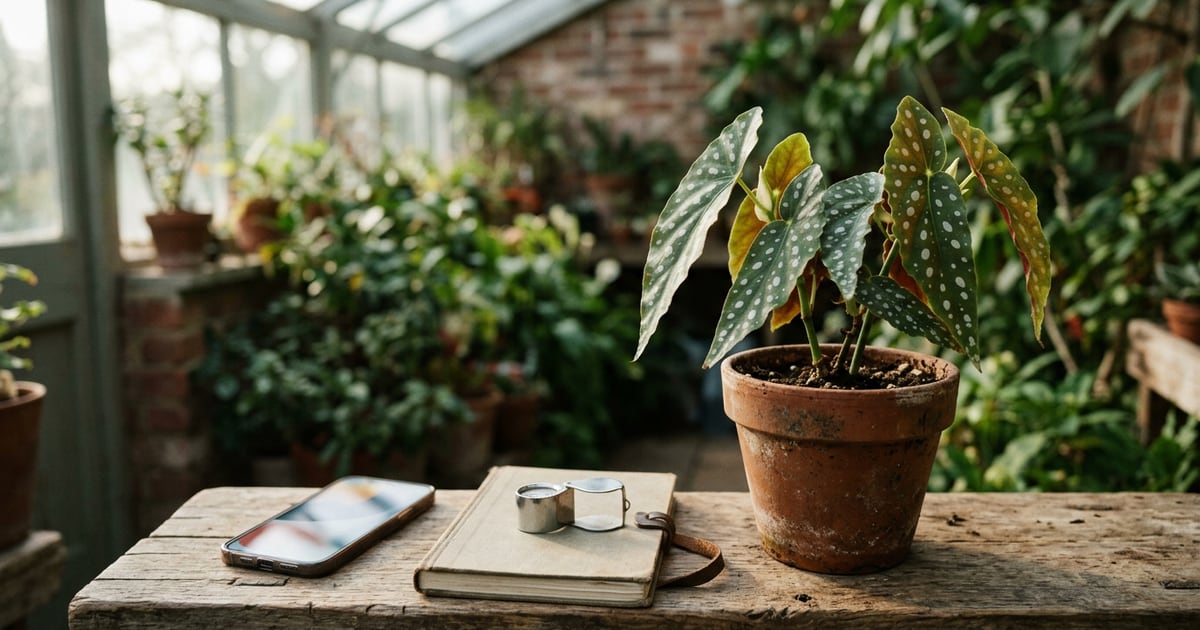
What is the best plant disease identification app? For a houseplant, start with a tool that combines a photo check with plant identification and care context, such as PictureThis or Blossom. For a supported crop, start with Plantix or consider Agrio if monitoring is also part of your work. The right choice depends on what you grow and what you need to do after taking the photo. Treat the result as a possible explanation to verify before acting.
How we chose
We compared five products using their official descriptions and grouped them by the decisions they support. A person with one spotted houseplant needs a different workflow from a grower who has to keep records across a field. We looked for a documented photo assessment feature, a clear use case and enough context to tell readers what the app can help them investigate.
This is a comparison of documented features. The order does not measure diagnostic accuracy. Similar-looking symptoms can come from insects, disease or nonliving factors, as the University of Minnesota Extension diagnostic guide illustrates. Start with the plant and its growing conditions so a plausible label does not become your only explanation.
| Your immediate question | Where to start | What to verify |
|---|---|---|
| What plant is this, and what might explain its leaf spots? | PictureThis | Whether a sharper image or a second angle changes the suggestion |
| Can I keep everyday care tasks near my symptom checks? | Blossom or Plant Disease Identifier | Which tools are included in your plan |
| Does this app cover the crop I grow? | Plantix | Your crop and the exact developer listing |
| Can the same service support ongoing crop monitoring? | Agrio | Which tools fit your location, crop and workflow |
1. PictureThis
Best fit: Someone who wants to start with a photo and may also need the plant's name. The official listing describes plant identification and a photo workflow for checking sick plants. The developer FAQ says identification requires a network connection and recommends changing the angle or distance when a photo is unclear.
That combination makes sense when you inherit a houseplant without a label. First photograph the plant so the overall shape and leaves are visible. Then take a separate symptom photo that shows where the spot starts and how it meets healthy tissue. Those are two different questions, even if you explore both in the same app.
A connection requirement matters if you use the tool away from home. More broadly, the developer's description establishes what the workflow offers. It does not give you independent confirmation that the result is correct for the plant in front of you. Compare the suggestion with a source specific to the plant.
2. Plantix
Best fit: Growers who want to investigate problems on supported crops. The Plantix crop doctor listing describes photo assessment for crop damage and covers disease, pest and nutrient-related possibilities. Use the developer's listing to check coverage before making it the main tool for your garden or farm.
For example, if several plants in a row show similar marks, take one photo of an affected leaf and another that shows which plants in the row are affected. Record the crop and the date you noticed the pattern. Keep those notes even if the app only asks you to upload a close-up. They will be useful when you compare the result with a crop guide.
The crop emphasis is the reason to choose it, and also a reason to check its fit for an ornamental plant. Search results can show products with similar names. The linked Android listing identifies the crop doctor product discussed here. Verify the developer and purpose before downloading.
3. Blossom
Best fit: Home gardeners who want disease information and gardening tasks in the same product. The official Blossom feature page describes photo-based disease identification, care information and a gardening calendar. The calendar can be relevant if your goal is to keep an ongoing routine around several plants as well as investigate an unusual symptom.
Imagine you notice spotting on one plant after moving several pots to a different window. A calendar can help you remember when you changed their routine. The photo result gives you an explanation to check. Put the two pieces of information side by side, then look for symptoms or timing that support or contradict the suggestion.
A reminder or calendar entry cannot tell you the cause of a spot. This option is most useful if you will use the surrounding care tools, too. If you only want a reference for one known crop, check whether a crop guide can answer the question with fewer steps.
4. Agrio
Best fit: Growers and advisors who want the photo question to sit within broader crop monitoring. Agrio's official site describes photo-based plant health investigation and tools for ongoing scouting and monitoring. Check the product page for the specific services that fit your crop and location.
Think of a case where two visits to the same area produce different observations. The first visit shows scattered spots on a handful of plants. The second shows a wider pattern. A workflow that helps you keep the observations together can be more useful than a single label. The sequence of observations is useful information to bring to an advisor.
If you have one plant on a windowsill, you may have little use for field monitoring features. Evaluate Agrio by asking what you would do with the information after the first photo. For a consequential crop decision, contact a local advisor or diagnostic service to corroborate the possible cause.
5. Plant Disease Identifier
Best fit: iPhone users who want a photo check alongside routine care features. The app listing and supplied app description describe plant identification, possible disease suggestions, care reminders and botanical guides. It fits when you have questions both about an unfamiliar plant and about what has changed since it arrived.
Try documenting the plant name if known, the date you noticed the change and the parts of the plant affected. A plant identification suggestion gives you a starting point for finding the right reference. A disease suggestion gives you a separate hypothesis. Keep those in separate notes so a likely plant name does not make a symptom assessment feel more certain than it is.
The feature set does not replace region-specific crop advice or a diagnostic clinic. If several explanations still fit, collect more context and ask for help. The guide to root rot signs is an example of how to compare symptoms instead of treating one visual sign as proof.
Which one is right for you?
If you mostly grow houseplants, begin with a tool that fits your regular care routine. PictureThis offers a plant identification and symptom workflow. Blossom and the iPhone option above are worth comparing when you also want scheduled care tools. If you grow food crops, start with your crop's availability in Plantix. Consider Agrio when repeated observations and monitoring are central to your work.
Take a useful set of photographs before comparing suggestions. Start with a wide view that shows the entire plant and the affected parts in context. Then photograph a representative symptom in focus. If several plants are affected, include a view showing their distribution. The University of Minnesota's Digital Crop Doc requests photographs and background information and may refer cases for further investigation. That approach is a useful model for recording observations you can share with a specialist.
Write down what changed before the symptoms appeared. Include any known changes in watering, location or weather and whether one leaf or several plants were affected. Record what you saw separately from what the app suggested. If the tool returns a different explanation for each photograph, compare the possibilities with a reliable guide and get help if the problem matters to your collection or crop.
You may also find it helpful to distinguish changes that call for investigation from ordinary seasonal changes. The dead versus dormant guide offers an example of checking multiple clues over time. If symptoms are spreading or an important crop is involved, bring your notes and photos to an extension service, grower advisor or plant diagnostic clinic before making treatment decisions.
How Plant Disease Identifier can help
The iPhone app can suggest a plant name or possible plant health issue from a photo and provides care information and reminders. Those features fit a small collection where you want to keep track of routine tasks and have somewhere to begin when a plant changes.
Give the photo check a sharp, well-lit image and compare any suggestion with a reference that covers the same species. Keep a separate note of the growing conditions and recent changes. If the result remains unclear, your photos and notes give a specialist more to work with than a screenshot of the suggested name alone.
 Plant Disease IdentifierIdentify plants and spot possible plant diseases from a photo, with care tips and reminders.

Frequently asked questions
Can an app identify plant disease from a photo?
A photo can help an app suggest possible causes, but several problems can have similar symptoms. Add information about the plant, its growing conditions and when the change appeared. Seek expert confirmation before making an important treatment decision.
Which app should I start with for a houseplant?
Start with a tool that covers plant identification and photo-based symptom checks, such as PictureThis or Blossom. If you also want care reminders, compare the documented features and available plans before choosing which app to use regularly.
Which option is aimed at crops?
Plantix's crop doctor listing describes photo assessment for supported crops. Agrio also covers crop health and monitoring. Verify support for your crop and location, and contact a local extension service or crop advisor if a decision has significant consequences.
What photos help when checking a sick plant?
Take a wide image of the plant and a sharp close-up of a representative symptom. Add a photo of the surrounding plants if more than one is affected. Record when the symptoms began and any relevant changes in growing conditions.
Conclusion
Choose a tool based on the plants you grow and the follow-up you need. A photo check can narrow your reading, a care calendar can help you track tasks, and a crop monitoring workflow can help you record patterns. Keep clear photos and context alongside any suggestion. When a result would affect an important treatment or crop decision, get it checked by someone who can evaluate the plant and its growing conditions.